
Troubleshooting Power Wheelchairs Not Charging or Not Working
When a power wheelchair won’t charge or won’t power on, the fastest fix comes from a calm, step-by-step check—outlet, charger, battery, connectors, controls, then drive system. Use this practical guide to isolate the fault at home before you schedule service. For product specifics, see wheelchair FAQs and browse compatible electric mobility wheelchairs from ultimatepointcare.
Quick safety note before you begin
Power off, remove the key (if fitted), and disconnect the charger before touching cables. Work in a dry, well-lit area. If you find burned plastic, a swollen battery, or a frayed mains lead, stop and contact support immediately.
Step 1: Wall outlet, power bar, and charger basics
Test the wall outlet with a phone charger or lamp. If you use a power strip, try the wall directly. Inspect the wheelchair charger: the LED should show “power present” when plugged into the wall only, then change state when the chair is connected. No light at all suggests a failed strip, blown house fuse, or bad charger.
Step 2: Charging port and connector fit
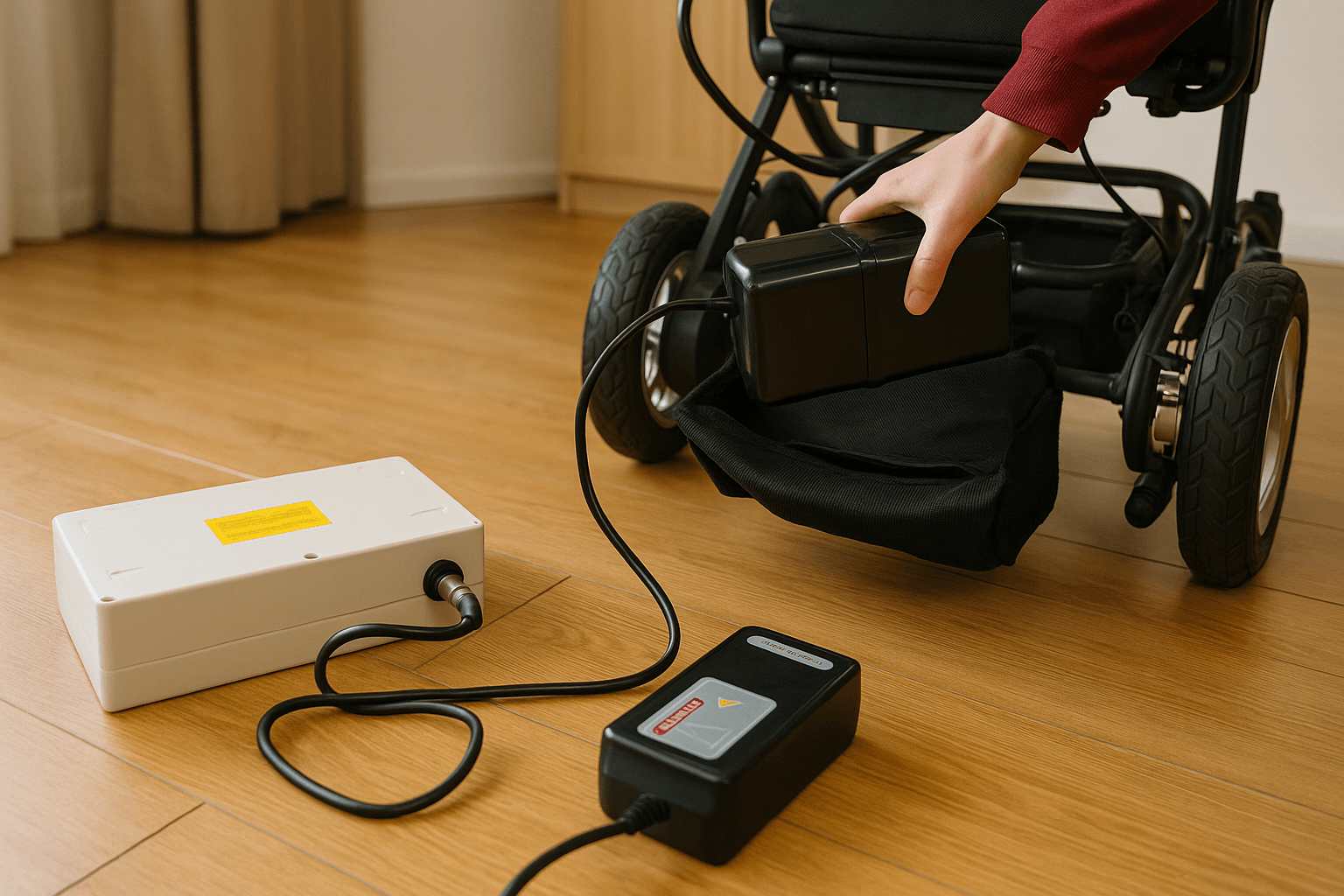
Seat the round/square plug fully—half-inserted connectors cause “connected but not charging.” Check for lint, corrosion, or bent pins in the chair’s charge port. Wipe dry if you rode in rain and allow a few minutes before reconnecting. Gently wiggle the plug while watching the charger LED; flickering points to a loose port or worn cable that needs replacement.
Step 3: Battery health and storage habits
If the chair sat unused for weeks, the pack may be deeply discharged. Try a full, uninterrupted overnight charge. Lithium packs prefer shallow cycles: avoid repeatedly running to 0%, and store at mid-charge in a cool, dry place. If the gauge drops rapidly or the chair dies under load, the battery may be at end-of-life—compare compatible replacements and specs via electric mobility wheelchairs or reach support with your model and watt-hour rating.
Step 4: Controller, joystick, and error codes
Power on and watch the control panel. Rapid blinking patterns often indicate a specific fault (brake open, motor connection, overcurrent). If the joystick won’t wake the chair, do a clean reboot: power off, wait 10 seconds, power on while the joystick is centered. Joystick held off-center during startup can trigger a lockout. If your panel displays codes, note them for service.
Step 5: Freewheel levers and parking brakes
If the chair powers on but won’t move, check the freewheel levers at each motor. These must be in “drive” (brakes engaged) for powered travel. After bus or car transport, handlers sometimes switch them to “push” mode—easy to overlook at home.
Step 6: Circuit breaker, fuses, and thermal limits
Some chairs include a resettable breaker near the battery box—press to reset after a stall on a slope. Riding up long ramps in heat may trigger thermal protection; let the chair cool 10–15 minutes, then try again. If fuses are user-serviceable, match amperage exactly. A repeatedly blowing fuse indicates a deeper fault (shorted cable or motor).
Step 7: Motor and battery leads
Trace battery leads and motor cables by touch. Look for loose quick-disconnects, crushed insulation, or moisture at the plugs. Reseat each connector until it clicks. If movement returns but feels jerky, a half-connected motor lead is likely—reseat firmly.
Step 8: Charger behavior logic
Observe the full cycle:
- Solid “charging” → later “full/green”: normal.
- Immediately “full/green” on a low battery: often a bad cell or open circuit.
- Rapid red/amber flash: short/over-temp/incorrect voltage—switch outlets and cool the pack; if repeated, the charger or pack needs service.
Step 9: After heavy rain or cleaning
Moisture in the control pod or charge port can cause “no charge” or “won’t start.” Dry the chair thoroughly, especially around connectors and under the seat. Do not use heat guns; allow gentle airflow and time.
Step 10: When to call support (and what to tell them)
Have these ready: model name, serial number, battery chemistry and Wh, age of the battery, charger model, error lights/codes, and what you’ve already tried. That short list speeds diagnosis. For brand guidance, visit ultimatepointcare or the centralized wheelchair FAQs page.

Preventive habits to avoid “not charging / not working”
- Daily: Gentle acceleration, brake before turns, and park indoors; wipe connectors once a week.
- Charging: Top up after rides, unplug when full, avoid repeated 0–100% cycles.
- Storage: Mid-charge for more than a week; cool, dry, and off the floor.
- Transport: Tape a simple “disconnect & freewheel” card to the frame for baggage handlers; recheck levers at arrival.
- Seasonal: Replace worn tires before the wet season; schedule a pro check of bearings, brakes, and firmware updates.
If the chair is mission-critical, consider a spare charger and an extra battery (where compatible) and keep a small “go kit” with a torx/hex driver, terminal caps, zip ties, and a microfiber cloth. Most charging failures are connector or routine related—solve those, and your wheelchair returns to predictable service.